AI Invoice Routing for a Multi-Entity Group
Invoices for around 20 legal entities routed automatically, with every uncertain case sent to a person instead of a guess.
A shared finance mailbox received invoices for around 20 legal entities and someone forwarded each one by hand. I designed and built a Power Automate solution that reads the Bill-To on each invoice with Azure Document Intelligence, matches it against an editable routing table and forwards it to the right Business Central inbox, with an exception queue and a full audit trail.
The problem
A shared finance mailbox was the intake point for supplier invoices across roughly 20 legal entities, at around 400 invoices a month. Each email had to be opened, the invoice read, the Bill-To entity identified and the email forwarded to that entity's Business Central ingestion address.
That work is repetitive, easy to get wrong and invisible until something lands in the wrong ledger. The brief was to automate the routing without automating the mistakes: an invoice sent to the wrong entity is worse than one that waits for a person.
The agreed target was 95% or more of invoices routed automatically, with zero mis-routes, and routing rules the finance team could change without a developer.
My approach
Extraction reads, rules route. Azure Document Intelligence's prebuilt invoice model reads the customer name (the Bill-To) and returns a confidence score for that field. The decision about where the invoice goes is made by the flow, against the finance team's own routing table, never by the model.
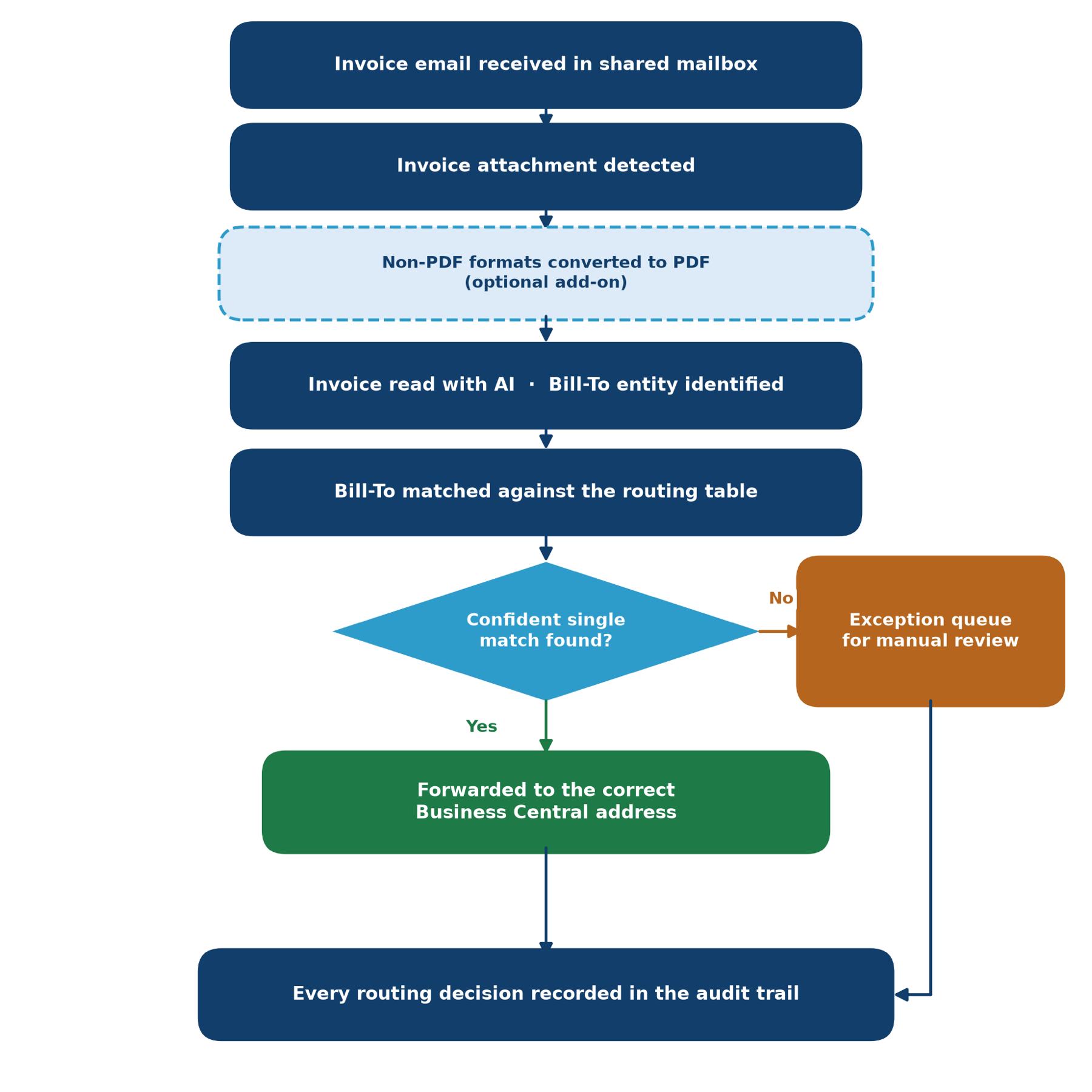
Auto-route only when every gate passes. An invoice is forwarded automatically only when the Bill-To was identified, the analysis did not fail, the confidence is at or above the threshold (0.80 by default) and there is exactly one matching row in the routing table. Anything else goes to the exception queue with a plain-English reason.
Four exception cases, designed first. Bill-To not identified, confidence below the threshold, more than one possible match, and an attachment that could not be read. The lookup deliberately fetches up to five matches so ambiguity is detected rather than hidden behind the first result.
Any common invoice format. PDFs and images (including scans) go straight to Document Intelligence. Word, Excel, RTF and similar files are converted to PDF through OneDrive for Business first, because the invoice model does not read Office formats. That conversion path is controlled by a solution environment variable, so an environment can switch it off without editing the flow; unsupported files then go to the exception queue.
Nothing crashes the run. The whole analysis block sits inside a try/catch scope. A corrupt, password-protected or unconvertible file is flagged as unreadable and routed to a person.
Maintainable by the business. Onboarding a new entity is one row in a SharePoint list. The threshold and exception address are configuration. The original email and attachment are forwarded untouched, so Business Central receives exactly what the supplier sent.
Delivered as a proper solution. The flow ships as a Power Platform solution package with a solution design document, SharePoint list schemas, a ten-scenario UAT plan, a production deployment runbook with rollback steps, a knowledge-transfer agenda and a requirements traceability matrix.
Architecture
One flow run per email. The trigger watches the shared mailbox with attachments included and processes each message independently.
Inside the run, each attachment is checked against the supported formats. Native formats pass their bytes straight through; convertible formats are written to a temporary OneDrive file, converted to PDF and the temporary file deleted. The bytes are posted to Document Intelligence and the flow polls the operation until it completes, then reads the Bill-To and its confidence.
The Bill-To is matched against the Department Routing SharePoint list. The decision gate either forwards the email to the entity's Business Central address or to the exception queue. Both branches write a row to the Invoice Routing Log list: subject, Bill-To, confidence, decision, destination, reason, sender and attachment name.
The HTTP call to Azure makes the flow a Power Automate Premium flow. AI Builder's invoice model was considered, but Document Intelligence returns the per-field confidence the exception rules depend on.
Key decisions
- 01
Azure Document Intelligence over AI Builder
- Context
- The routing rules needed a confidence score for the Bill-To field to decide between auto-routing and the exception queue.
- Decision
- Call the Document Intelligence prebuilt invoice model over HTTP and use its per-field confidence.
- Trade-off
- The HTTP action makes the flow Premium-licensed, where AI Builder would not have needed an extra connector.
- 02
Route only when there is exactly one match
- Context
- Supplier invoices sometimes print entity names that could match more than one row, and a wrong entity is worse than a delay.
- Decision
- Fetch up to five matches from the routing table and auto-route only when exactly one is returned.
- Trade-off
- Genuinely ambiguous names always need a person, and the finance team adds variant spellings as extra rows over time.
- 03
Routing table in SharePoint
- Context
- Entities and Business Central inboxes change, and finance should not need a developer to update them.
- Decision
- Keep routing rules and the audit trail in two SharePoint lists the business edits directly.
- Trade-off
- Matching depends on the list text aligning with how invoices print the entity name, so data quality becomes a business responsibility.
- 04
Office conversion behind a toggle
- Context
- Invoices arrive in Word and Excel formats the invoice model cannot read, but not every environment wants the extra OneDrive dependency.
- Decision
- Convert Office files to PDF via OneDrive, gated by a solution environment variable that defaults to on.
- Trade-off
- With conversion off, Office invoices go to the exception queue instead of being read.
- 05
Forward the original email untouched
- Context
- Business Central ingests the invoice from email, and any re-packaging risks losing or altering the attachment.
- Decision
- Forward the original message rather than composing a new one with a re-attached file.
- Trade-off
- Forwarding sends from the connection owner's mailbox, which needs checking in UAT if the monitored mailbox is a separate shared mailbox.
Outcomes
- 4Exception cases handled
Unidentified, low confidence, multiple matches, unreadable attachment
- 10UAT scenarios defined
Including attachment preservation and batch throughput
- 1.0.0.0 to 1.0.0.7Solution builds
Iterated from PDF only to any common invoice format with a conversion toggle
Gallery
Every invoice is either routed on a confident single match or sent to a person, and both paths are audited.
Lessons learned
Connection references belong in one place only. The first solution packages failed to import with Invalid component type provided 10112. The root cause was declaring connection references as root components in solution.xml. Removing them entirely produced a different failure at publish. Diffing my package against a real export from the target environment showed the fix: declare them only in customizations.xml. Building on a genuine export rather than hand-authoring the package structure is now how I start every solution build.
The exception queue is the product. Anyone can pull a name off an invoice. Trust comes from what happens when the read is uncertain, so the exception rules were designed before the happy path.
Use the confidence score. Extraction services return a confidence for every field and it is the number that decides whether a person needs to look. Ignoring it makes wrong routing look like success.
Secrets do not belong in flow variables. For portability during the build the service key sat in a flow variable. The design document flags it for production: move it to a Key Vault backed environment variable so it is never readable in an exported solution.
Related
More work like this.
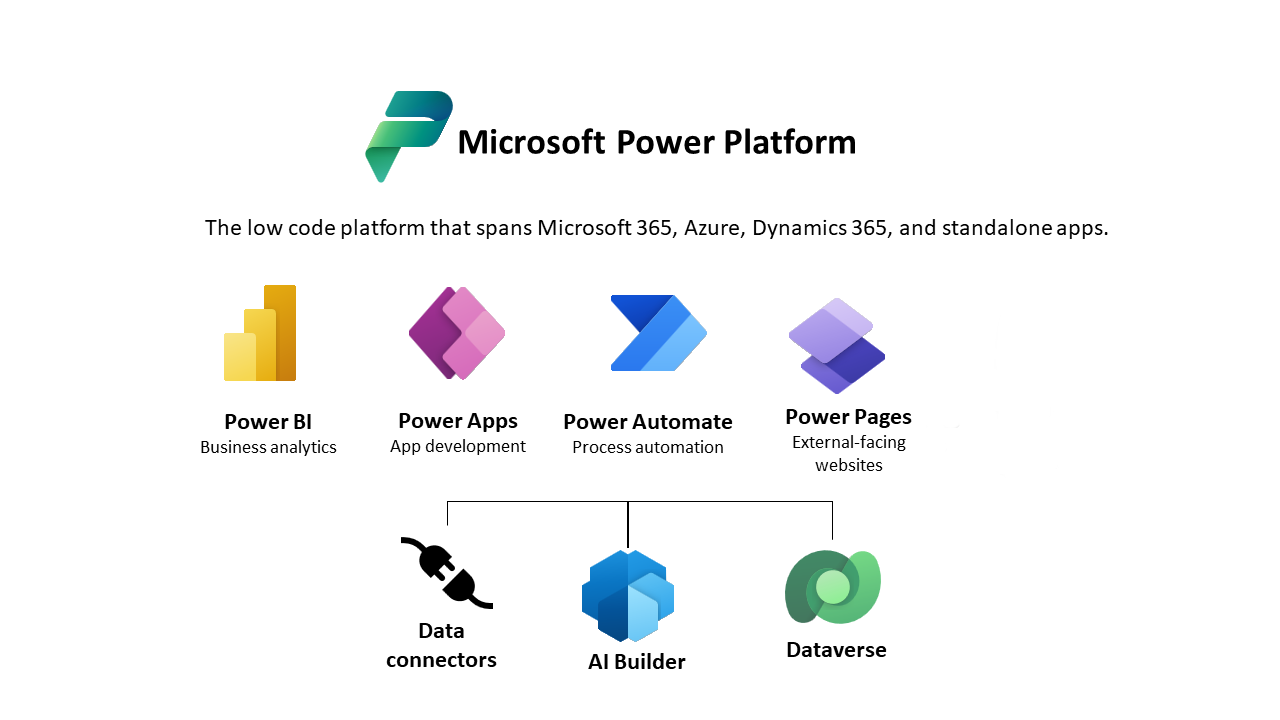
IT Procurement Power App – Workflow Automation & Stakeholder-Driven Design
Lead Developer and Business Analyst I designed and implemented a custom IT Procurement app using Microsoft Power Apps. The project automated procurement workflows, from request to approval, and was built collaboratively with business stakeholders to ensure functional alignment, seamless integration, and user adoption.
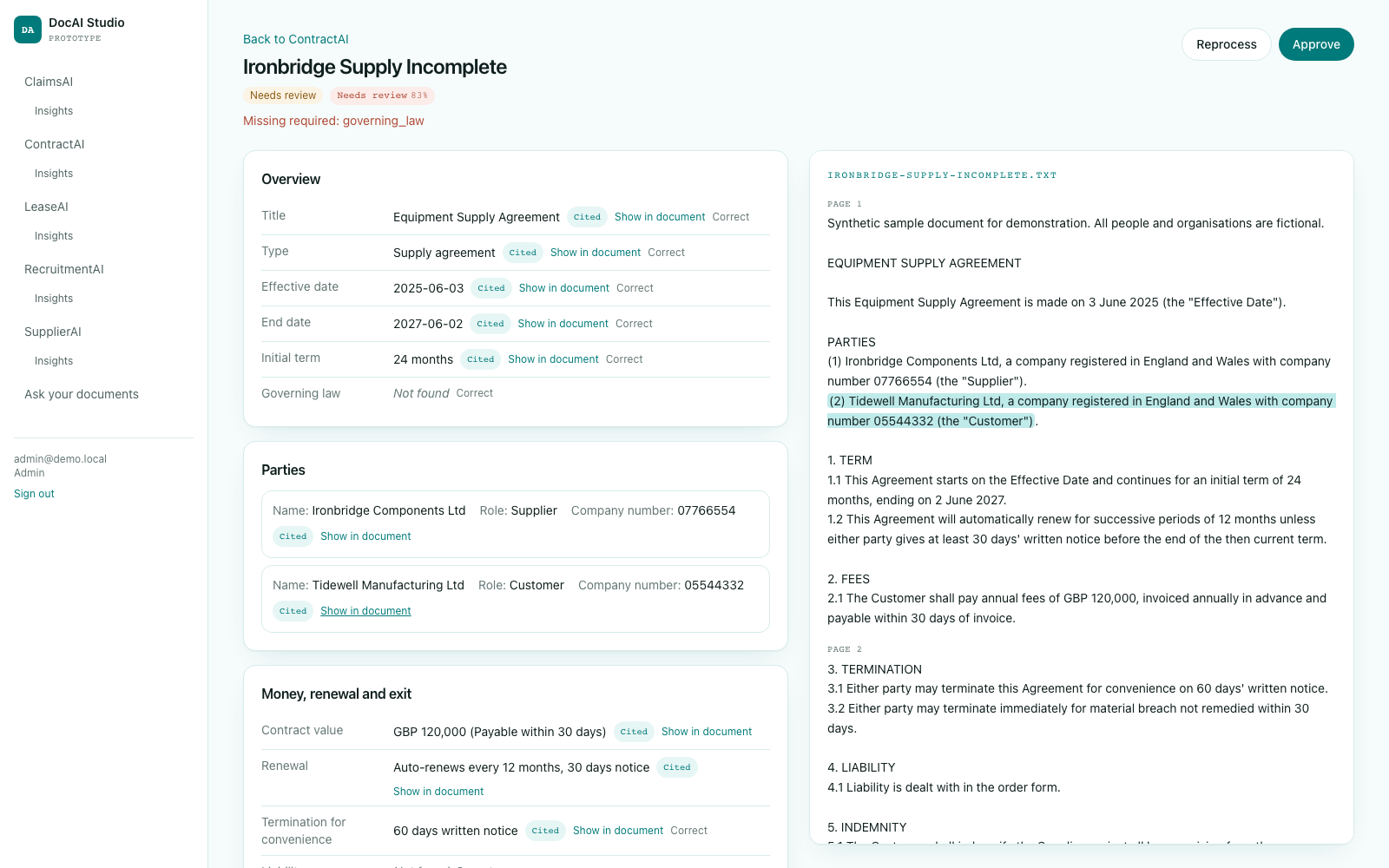
ContractAI
Abstracts commercial contracts into parties, dates, money, renewal terms and risky clauses, with every value tied to a quote and portfolio views for renewals and risk.
Employee Document Management Copilot Studio Agent
This comprehensive solution addresses the document management chaos that many organizations face. Leveraging Microsoft's advanced AI capabilities, the agent transforms how businesses store, retrieve, and manage critical employee resources.# Employee Document Management Copilot Studio Agent
Want to go deeper?
Happy to talk through how this was built.
The decisions, the trade-offs and the parts I would do differently next time.